
Your privacy choices

We use analytics to understand website performance and improve AKM. Analytics starts only after you accept. You can change your choice at any time. Privacy policy

AKMAKM
Knowledge Base
Sign in

Browse

Find answers by topic.

Start here

Knowledge Base HomeProduct overviewGetting started

Journeys

Authentication journeyIntegration journeyConnected Data Sources journeyConversation journeyBilling journey

Using AKM

Dashboard basicsIntegrationsConnected data sourcesConversation (AI chat)

Platforms

All platformsFacebook AdsInstagram InsightsLinkedIn AdsX AdsTikTok AdsSnapchat AdsGoogle AdsGoogle AnalyticsGoogle Search ConsoleYouTubeAdjustShopifySallaZidWooCommerceOdoo

Account & billing

Account & securityPlans & billingCompanies & teams

Help

TroubleshootingGlossary
Browse topics

Start here

Knowledge Base HomeProduct overviewGetting started

Journeys

Authentication journeyIntegration journeyConnected Data Sources journeyConversation journeyBilling journey

Using AKM

Dashboard basicsIntegrationsConnected data sourcesConversation (AI chat)

Platforms

All platformsFacebook AdsInstagram InsightsLinkedIn AdsX AdsTikTok AdsSnapchat AdsGoogle AdsGoogle AnalyticsGoogle Search ConsoleYouTubeAdjustShopifySallaZidWooCommerceOdoo

Account & billing

Account & securityPlans & billingCompanies & teams

Help

TroubleshootingGlossary
Knowledge Base/Dashboard basics

Dashboard basics

Understand what the AKM dashboard shows, why data may look empty, and how connected sources and date ranges affect reporting.

Dashboard screen

Screen: Dashboard
Route: /dashboard
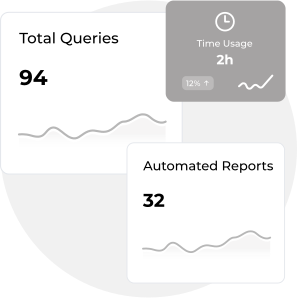
Your workspace

Welcome back

Live metrics from your connected sources — all in one place.

Manage platforms
Tip
If the dashboard looks empty, first confirm you have at least one enabled connected data source and a valid date range.

Last updated: Content is maintained as part of the AKM frontend.