
AKMAKM
Knowledge Base
Sign in

Browse

Find answers by topic.

Start here

Knowledge Base HomeProduct overviewGetting started

Journeys

Authentication journeyIntegration journeyConnected Data Sources journeyConversation journeyBilling journey

Using AKM

Dashboard basicsIntegrationsConnected data sourcesConversation (AI chat)

Platforms

All platformsFacebook AdsInstagram InsightsLinkedIn AdsX AdsTikTok AdsSnapchat AdsGoogle AdsGoogle AnalyticsGoogle Search ConsoleYouTubeAdjustShopifySallaZidWooCommerceOdoo

Account & billing

Account & securityPlans & billingCompanies & teams

Help

TroubleshootingGlossary
Browse topics

Start here

Knowledge Base HomeProduct overviewGetting started

Journeys

Authentication journeyIntegration journeyConnected Data Sources journeyConversation journeyBilling journey

Using AKM

Dashboard basicsIntegrationsConnected data sourcesConversation (AI chat)

Platforms

All platformsFacebook AdsInstagram InsightsLinkedIn AdsX AdsTikTok AdsSnapchat AdsGoogle AdsGoogle AnalyticsGoogle Search ConsoleYouTubeAdjustShopifySallaZidWooCommerceOdoo

Account & billing

Account & securityPlans & billingCompanies & teams

Help

TroubleshootingGlossary
Knowledge Base/Authentication journey (step by step)

Authentication journey (step by step)

A screen-by-screen guide to get into AKM.

Auth journey (4 steps)

1.Sign up

Create your AKM account from the Sign up screen.

Screen: Sign up
Route: /auth/signup

Create Account

Start entering your details to create account and get started

We only accept emails from verified company domains

Already have an Account?

Terms & Privacy Policy
2.Complete verification

After sign up, verify your email to activate the account.

Screen: Check verification
Route: /auth/check-verification
check-img

Your Account Created Successfully!

Check Email at "demo@company.com" to verify your account.

Are you facing any problems receiving the verification email.?

Didn't receive the email? Check your spam folder or contact support.

3.Login

Use the Login screen to sign in to your account.

Screen: Sign in
Route: /auth/signin

Log In

Enter your Email and Password to Login

Forget Password?

Don't Have An Account? Sign up

Terms & Privacy policy
4.Dashboard screen

After login, you land on the Dashboard.

Screen: Dashboard
Route: /dashboard
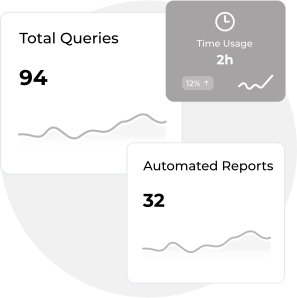
Welcome to AKM Dashboard

Your analytics and metrics at a glance

Dashboard analytics visualization

Youre just getting started!

Connect your first data source to unlock AI-powered marketing insights

Most Popular

icon

Facebook Pages

Track engagement and performance metrics

Connect Facebook Pages

icon

LinkedIn Ads

Monitor ad campaigns and ROI

Connect LinkedIn Ads

icon

X (Twitter)

Analyze tweets and audience insights

Connect X (Twitter)

icon

Instagram Business Profiles

Track posts and story performance

Connect Instagram Business Profiles

Steps To Unlock Powerful Insights

Connect Your Data Sources

Integrate your marketing platforms to unlock comprehensive analytics and insights

Configure Your Dashboard

Customize your views and set up key performance indicators to track your marketing success

3

Analyze and Optimize

Review insights and optimize your marketing strategy based on data-driven recommendations

1.Forgot password (optional)

Request a reset link/code from the Forgot Password screen.

Screen: Forgot password
Route: /auth/forget-password

Reset Password

Enter your email to reset your password

Last updated: Content is maintained as part of the AKM frontend.